CRM vs ERP: Which Custom System Does Your Business Actually Need?
 Blessedave Technologies 4 min read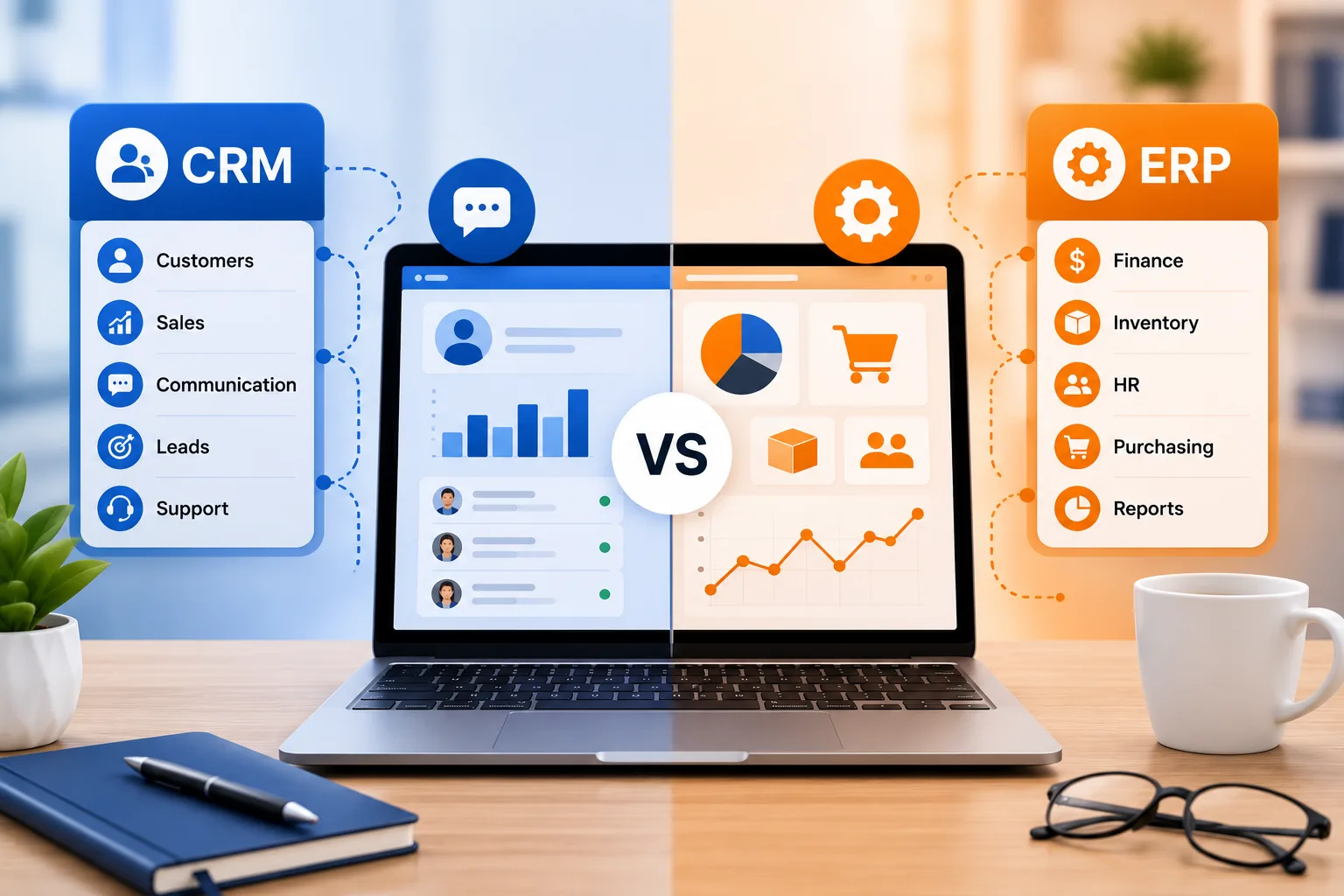
On this page
As a business grows past spreadsheets and manual tracking, two acronyms tend to come up: CRM and ERP. They're often mentioned in the same breath, sometimes even used interchangeably — but they solve genuinely different problems. Choosing the wrong one, or trying to force one system to do the other's job, is a common and costly mistake.
Here's a clear breakdown of what each actually does, and how to figure out which one — or whether both — your business needs.
What Is a CRM?
CRM (Customer Relationship Management) software is built around managing your interactions with customers and prospects — from first contact through to an ongoing relationship. A CRM typically handles:
- Contact and lead management
- Sales pipeline tracking (where each prospect is in the buying process)
- Communication history (calls, emails, meetings) with each customer
- Follow-up reminders and task management for sales and support teams
- Customer service and support ticket tracking
- Marketing campaign tracking and customer segmentation
In short: a CRM answers the question, "Where does this relationship stand, and what happens next?"
What Is an ERP?
ERP (Enterprise Resource Planning) software is built around managing a business's core internal operations — the systems that keep the business itself running, rather than managing external relationships. A typical ERP covers some combination of:
- Inventory and supply chain management
- Financial accounting and reporting
- Procurement and vendor management
- Human resources and payroll
- Production or project management
- Order fulfillment and logistics
In short: an ERP answers the question, "How is the business itself actually operating, end to end?"
The Core Difference
CRM (Customer Relationship Management)
- Primary focus: Customer-facing relationships
- Core users: Sales, marketing, and customer support teams
- Key question answered: "What's our relationship with this customer?"
- Typical modules: Leads, sales pipeline, communication history, support tickets
- Best fit for: Businesses focused on sales growth and customer retention
ERP (Enterprise Resource Planning)
- Primary focus: Internal business operations
- Core users: Finance, operations, HR, and inventory teams
- Key question answered: "How is the business running internally?"
- Typical modules: Inventory, accounting, payroll, procurement
- Best fit for: Businesses managing complex internal operations, inventory, or multi-department coordination
Signs Your Business Needs a CRM
- Your sales team is tracking leads and follow-ups manually, in spreadsheets or notebooks
- Deals are falling through the cracks because no one has visibility into where each prospect stands
- Customer communication history is scattered across individual staff members' phones and inboxes, with no shared record
- You're growing your sales team and need a consistent, trackable process rather than relying on individual memory
- Customer support requests are hard to track and follow up on consistently
Signs Your Business Needs an ERP
- Inventory tracking is manual and increasingly error-prone as your product range or stock volume grows
- Financial reporting takes significant manual effort to compile from multiple disconnected sources
- Different departments (sales, finance, operations) are working from inconsistent or duplicated data
- You're managing complex procurement, multiple suppliers, or multi-location operations that spreadsheets can no longer handle reliably
- Payroll, HR, and operational data live in separate systems that don't talk to each other
Do You Need Both?
For many growing Kenyan businesses, the honest answer is eventually yes — but rarely at the same time. A common, practical path is:
- Start with a CRM if your immediate pain point is sales and customer relationship tracking — this is usually simpler, faster to implement, and delivers value quickly
- Add ERP capabilities once internal operational complexity (inventory, multi-department coordination, financial reporting) becomes the bigger bottleneck
- Consider an integrated system if both pain points are significant simultaneously — some custom-built systems combine CRM and ERP functionality into a single platform, avoiding the complexity of maintaining two separate systems
Off-the-Shelf vs Custom: Which Approach Fits?
Generic, off-the-shelf CRM and ERP platforms can work well for businesses with fairly standard processes, and they're often faster and cheaper to get started with. But businesses with specific workflows — particular reporting requirements, unique inventory categorization, local payment integration like M-Pesa — often find these platforms require significant workarounds, or simply don't fit well without expensive customization add-ons.
A custom-built CRM or ERP, by contrast, is designed around your business's actual processes from the start — no forcing your team to adapt to someone else's template. We cover this broader decision in more depth in our guide on off-the-shelf vs custom software for Kenyan SMEs.
What to Consider Before Committing to Either
- Team size and complexity. A very small team may not need a full CRM or ERP yet — sometimes a well-organized spreadsheet genuinely is sufficient until the business reaches a certain scale.
- Budget and timeline. Custom systems take longer and cost more upfront than off-the-shelf options, but often deliver better long-term fit and avoid recurring license fees.
- Integration needs. Consider whether the system needs to connect with existing tools — accounting software, M-Pesa, your website — since this significantly affects both cost and complexity.
- Growth trajectory. Building with your expected growth in mind avoids a costly system migration a year or two down the line.
Build the Right System for How Your Business Actually Works
At Blessedave Technologies, we help Kenyan businesses identify whether a CRM, an ERP, or an integrated custom system fits their actual operations — then build it around your specific workflows, not a generic template.
Talk to us about the right system for your business at blessedavetechnologies.com.
FAQ
Frequently asked questions
Can a CRM and ERP be combined into one system?
Yes, some custom-built systems integrate CRM and ERP functionality into a single platform, which can simplify operations for businesses that need both, though it typically requires a more involved build than either system alone.
Which is cheaper to implement: CRM or ERP?
CRMs are generally simpler and less expensive to implement than full ERP systems, since ERPs typically involve more modules and deeper integration with core business operations like finance and inventory.
Does a small business really need a CRM or ERP, or is a spreadsheet enough?
It depends on scale. Many small businesses genuinely manage well with organized spreadsheets early on — the need for dedicated software usually emerges once manual tracking starts causing errors, missed follow-ups, or inconsistent data across teams.
Should I start with an off-the-shelf CRM/ERP or go straight to custom?
It depends on how standard your processes are. Off-the-shelf tools are faster and cheaper to start with and work well for common workflows, while custom systems suit businesses with specific requirements that generic platforms can't accommodate well.
How long does it take to build a custom CRM or ERP system?
Timelines vary significantly based on scope, but a focused custom CRM can often be built in a matter of weeks, while a full ERP system covering multiple departments typically takes longer, often a few months.
Can a custom CRM or ERP integrate with M-Pesa and other local tools?
Yes — this is one of the key advantages of custom development for Kenyan businesses, since M-Pesa and other local payment or business tools can be built directly into the system rather than relying on limited support from generic international platforms.
Written by
Blessedave TechnologiesEditorial team
The Blessedave Technologies team designs and builds websites, custom software, e-commerce systems and SEO/AEO programmes for businesses in Nairobi and across Kenya.
Comments
No comments yet. Start the conversation.