Google Business Profile Optimization: A Step-by-Step Guide
 Blessedave Technologies 4 min read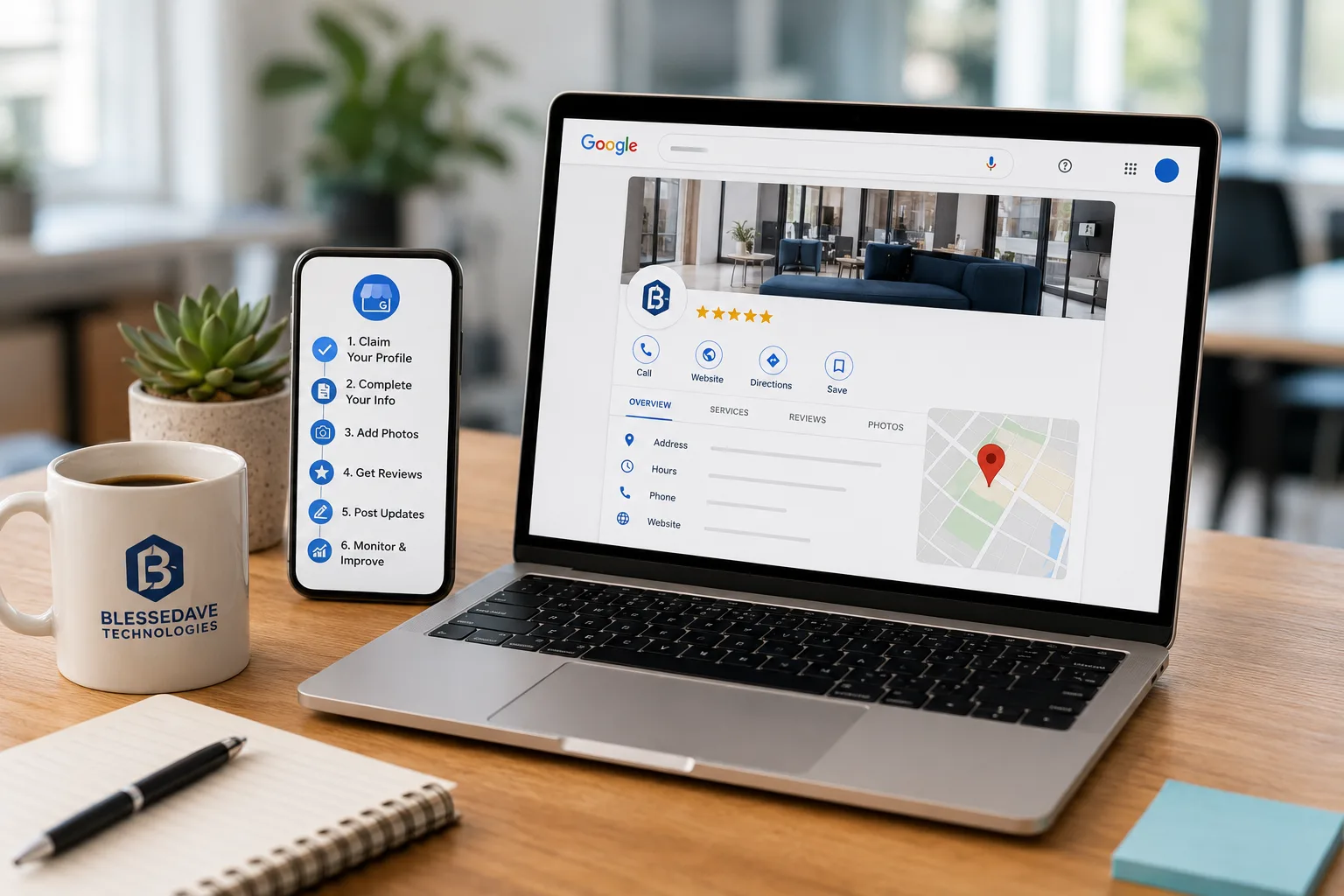
On this page
Of all the tools available to a local business, Google Business Profile (formerly Google My Business) is arguably the highest-return one — it's free, it's what shows up when someone searches for your business or services nearby, and yet many Kenyan businesses either haven't claimed it or have left it mostly empty. A properly optimized profile can drive genuine, consistent leads with essentially no ongoing cost. Here's a step-by-step guide to getting it right.
Step 1: Claim and Verify Your Profile
If you haven't already, search for your business on Google and claim the listing if it exists, or create a new one if it doesn't. Google will typically verify ownership through a phone call, text message, email, or postcard sent to your business address — completing this verification step is essential, since an unverified profile has limited visibility and control.
Step 2: Use Your Exact, Real Business Name
Enter your business name exactly as it appears on your signage and official materials — resist the temptation to add extra keywords into the name field (like "Blessedave Technologies - Web Design Nairobi"). This practice violates Google's guidelines and can result in the listing being suspended, in addition to looking unprofessional to potential customers.
Step 3: Choose the Most Accurate Business Category
Select the primary category that most precisely describes your business, and add relevant secondary categories where applicable. Category selection directly affects which searches your profile appears in, so accuracy here matters more than it might initially seem.
Step 4: Add Complete, Accurate Contact Information
Fill in your phone number, website, and physical address completely and accurately — and make sure this information matches exactly what's listed on your website and other online platforms. Inconsistent contact information across different sources undermines the trust signals search engines use to rank local businesses.
Step 5: Set Accurate Business Hours
Keep your hours current, including special hours for holidays or unusual closures. Nothing frustrates a potential customer more than showing up (or calling) based on hours that turn out to be wrong — and it reflects poorly on the business's overall reliability.
Step 6: Write a Clear, Keyword-Relevant Business Description
Use the business description field to clearly explain what you do, who you serve, and what makes your business worth choosing — written naturally, incorporating relevant local and service-specific keywords without keyword-stuffing the text unnaturally.
Step 7: Upload Real, High-Quality Photos
Profiles with genuine, high-quality photos — of your location, team, and work — receive significantly more engagement than those with no photos or generic stock imagery. Include exterior shots (helping customers recognize your location), interior shots, and photos of your actual products or work where relevant.
Step 8: Enable and Actively Manage Messaging
If your business benefits from direct inquiries, enable Google's messaging feature and respond promptly — a profile that allows messaging but never responds actually damages trust more than not offering the feature at all.
Step 9: Actively Collect and Respond to Reviews
Reviews are one of the most influential factors in both local search ranking and customer decision-making. Make it easy for satisfied customers to leave a review (a direct link shared after a positive interaction works well), and respond professionally to all reviews — positive and negative alike. A thoughtful response to a negative review often does more to build trust with future customers than the negative review itself does to hurt it.
Step 10: Use Google Posts Regularly
Google Business Profile allows you to publish short updates, offers, or announcements directly to your listing — similar to a social media post. Regular posting signals an active, engaged business and gives potential customers current information right within the search result.
Step 11: Add Products or Services Directly to the Profile
Where applicable, listing specific products or services directly on your profile — with descriptions and pricing where appropriate — gives potential customers more information before they even click through to your website, and provides additional content for Google to match against relevant searches.
Step 12: Answer the Questions & Answers Section Proactively
Rather than waiting for customers to post questions publicly (which competitors or unrelated parties can also answer), proactively seed this section with common questions and clear, accurate answers your business would want represented correctly.
Step 13: Monitor Insights Regularly
Google Business Profile provides data on how customers found your listing, what actions they took (calls, website visits, direction requests), and how your profile is performing over time. Reviewing this regularly helps identify what's working and where there's room for improvement.
Common Mistakes to Avoid
- Leaving the profile incomplete — an unclaimed or minimally filled profile misses significant free visibility
- Inconsistent business information across the profile, website, and other directories
- Ignoring reviews, especially negative ones, rather than responding professionally
- Using outdated photos or hours that no longer reflect the actual business
- Keyword-stuffing the business name, risking suspension and looking unprofessional
Why This Matters Alongside Broader SEO Efforts
A well-optimized Google Business Profile works hand-in-hand with broader local SEO efforts — the two reinforce each other rather than functioning independently. We cover this fuller picture, including website-level local SEO practices, in our guide on local SEO for Nairobi businesses.
Get Your Google Business Profile Optimized Properly
At Blessedave Technologies, we help Kenyan businesses set up and optimize their Google Business Profile as part of a broader local SEO strategy — ensuring this free, high-value tool is actually working for your business, not sitting incomplete.
Talk to us about optimizing your local presence at blessedavetechnologies.com.
FAQ
Frequently asked questions
Is Google Business Profile really free to use?
Yes, completely free — claiming, verifying, and fully optimizing your profile costs nothing, making it one of the highest-value marketing tools available to any local business.
How long does it take to see results from optimizing a Google Business Profile?
Some improvements, like appearing more accurately in relevant searches, can happen relatively quickly once verified and optimized, though building a strong review base and consistent visibility typically develops over weeks to months.
Does responding to reviews actually make a difference?
Yes — thoughtful, professional responses to reviews (especially negative ones) build trust with future customers reading them, and can meaningfully influence their decision to choose your business over a competitor.
How often should I post updates to my Google Business Profile?
Regular posting — even a few times a month — signals an active, engaged business, though consistency matters more than high frequency; a steady, modest posting rhythm is better than sporadic bursts.
Can I change my business category after setting up the profile?
Yes, categories can be updated at any time, and it's worth reviewing periodically to ensure they still accurately reflect your business, especially if your services have expanded or changed.
What's the biggest mistake businesses make with their Google Business Profile?
Leaving it incomplete or outdated — missing photos, inconsistent hours, an unanswered messaging feature — which undermines both search visibility and the trust of potential customers who do find it.
Written by
Blessedave TechnologiesEditorial team
The Blessedave Technologies team designs and builds websites, custom software, e-commerce systems and SEO/AEO programmes for businesses in Nairobi and across Kenya.

Comments
No comments yet. Start the conversation.